Showing posts with label Instagram. Show all posts

Thursday, January 11, 2024

REVIEW: Angler Bi-Color Ring Light Kit with Light Stand (18")

Angler Bi-Color Ring Light Kit with Light Stand (18")

Hey friends, long-time no blog! :)

I’m writing today because I had a need for an affordable ring light for use with my iPhone and I wanted to tell you what I thought about it.

In my world these days it’s becoming increasingly rare for me to need to use my DSLR, so like a lot of people I frequently use my phone camera for internal use only product shots and education videos. That said, for amazing as modern smartphones are for creating phenomenally good HDR images and pulling off amazing results in low light, sometimes you just need more light to get your desired results.

In my case, I found myself wanting something that would allow me to interact and record a tutorial video or review of something I was interacting with, but I still wanted to see my cell phone while I was doing it. I also wanted the light to be very good – you know, like pretty much every YouTuber these days!

When I started looking for options, the prices were more than I wanted and some of the purchases I made from Amazon were pretty bad. As a result, I reached out to my friends at B&H to leverage their expertise to find something that worked well but also didn’t break the bank.

My key criteria were:

  1. Affordable
  2. Diffused light
  3. Ability to control the temp
  4. Big enough to use for products as well as face lighting
  5. Ability to see my phone screen while recording, so this meant a phone mount as well as a pivot arm design.
  6. Easily portable for many use cases.

I’m happy to report that the Angler Bi-Color Ring Light Kit checked off all of the boxes and was almost perfect.

This shot was taken using JPEG only (doh) and mixed light (ambient light was tungsten with sources in front and behind the subject and edited heavily in Lightroom to make it suck less:


Kai with his dog Teddy using Canon 1DX II JPG and low brightness

Kai was struggling with the brightness, so I cranked it down low enough for him to tolerate it. If it wasn’t a quick and dirty shot (and a bit of luck with the dog), I probably would have taken a bit more time to make it much better. That said, that is what I like about this light – it allows me to do a lot better than my cell phone with very little effort. It makes experimentation much easier than traditional lighting methods thanks to the lightweight portable stand and battery powered light with adjustable temp and brightness!

A Closer Look

Here’s a closer look at the ring light itself:


Excellent diffusion panel on the front


Plenty of hot shoe mounting points for the camera adapter

Notice the inside and outside hot shoes all over things thing. It’s also shown with the batteries installed (included on some bundles), but it also includes the ability to just plug it into an outlet which saves weight.


Camera adapter could easily fit my iPhone 13 Pro with extra space left over

The camera adapter can be placed in any of the hot shoe mounts, but I elected to put it in the 6 O’clock spot. One side is spring loaded, so it supports many phones. My unit had a pretty strong spring, so I could only get it to open to just under 3 inches in width.


The hot shoe phone adapter could easily be moved to where I needed it

I used a Impact C-Stand  along with a grip head and extension arm
for added flexibility and reach for this scenario


With this setup, I could peek through and interact with the lens
on the table while monitoring the video
Notice how the captured content has drifted off the table!

Remember, my goal here was to test the ability to record where I was both interacting with and viewing the video of with an object on a table using my iPhone. I hate video editing, so I’ll spare you that boredom and just show a shot that I did with the iPhone 13 Pro and enhanced with Topaz AI:


iPhone 13 Pro static image taken using the ring light configured as shown previously

As a lighting tool, it did great. Where it failed miserably (as you can see if you look carefully in the prior image is that the ring light would drift and often overshoot the table. This seems to be due to the lack of any sort of teeth or serrations on the adjustment knob, so I really grew frustrated at this problem. While it might be fixed by adding a rubber washer or something, know that going in won’t “just work” for this scenario, It’s fine when upright vs this extreme angle with the weight of the camera on it, so if your goal is to do a podcast or more practical angles, then it will be great.

Testing in Complete Darkness

I wanted to test with a real camera in a normal scenario where the camera isn’t hanging from the hot shoe. For that scenario, it did great.

Light makes up for the lack of shutter speed, so I decided to push things to the limit, and this time using RAW, to see what I could do. Here were my light settings:


61% brightness in total darkness at 5400k

Even though the room was lit (by the ring light) for the shot, it was done at night with no ambient light beyond the Christmas tree for this shot.

For fun, I decided to use the Passport ColorChecker to make sure the foreground color was as accurate as I could get it, but for those who are new to the complexities of lighting – that only impacts the subject (Kai) and has zero impact on the ambient light on the background.


Canon 1DX Mark II f/2.8 @ 70mm for 1/10 sec at ISO 100 from RAW

Here’s a behind the scenes look but I didn’t make any effort to get accurate colors or light for this shot:


The camera was on its own tripod for this series and just shooting through

Conclusion

For the price of about 1 to 2 tanks of gas these days (at the time this was written), I think this ring light offers a lot of bang for the buck. Its ease of use, portability and overall quality of light were way more than I was expecting.

Will it keep up with my studio lighting? No, but it’s great for on the go video that is all to common these days with social media influencers who need professional looking light when on the camera as well as when interacting with products.

The Impact Air-Cushioned Light Stand (Black, 8') included in this review was perfect for cost effective portability, but I wouldn’t recommend it for the product review scenario I mentioned. For that, you’ll definitely want to invest in a C-Stand or even better, a base with wheels  along with a grip head and extension arm. While you are at it, don’t forget a saddle bag (bring your own sand).

Where to Buy?

CLICK HERE to learn more or buy today. Don’t forget that you can apply for the Payboo card and get special financing to make it easier to purchase in these difficult times.

Enjoy more classic reviews on the Reviews tab.

Disclosure

If you make a purchase using links found in this article, I may make a commission. It doesn’t cost you a penny more, but it does help to support future articles like this.

Tuesday, June 28, 2022

The Best Wireless Personal Video Conferencing Light I’ve Ever Used


Raya Bi-Color Round LED Panel Light (9")

Sometimes a product is so good that people who use it become instant fans and they are eager to tell everyone they know about it. Great examples include game consoles, the iPhone, Netflix, etc..

As you’ve probably noticed, I’m not reviewing much lately because my personal life has been dedicated to my family and my work life has been quite busy. However, when I tried this product out, I loved it so much that I knew it was time to get another article out as quickly as possible.

I think what won me over so quickly on this one was that my friends at B&H sent me a review unit that included a great support stand (which consists of several parts sold separately) and a battery pack with charger that makes this entire unit wireless. What you see in the picture is all you need and you can take it anywhere, set it down, turn it on, and voila you’ve got great light. What’s more, you can adjust the light temperature and brightness to give you subtle lighting improvements that are hardly noticeable or you can crank it up if you really want to bring your eye color out to the max!

Examples

My bedroom chair is one of my favorite places to have video conference calls when working from home or talking with friends, but I almost never turn my camera on because the light is just blah as shown here:

To be fair, this was actually a rare sunny day in the Pacific Northwest and the light is much better than normal but the challenge is the back lighting and the harsh side lighting. If I was taking a professional photo I’d use an reflector and be in good shape, but this is live video so that isn’t especially practical. However, with my Raya 9” light, I can give new life to my Herman Munster-like dark inset eyes as shown here:

Yes, I may have overdone it a bit with the brightness and the warmth, but you get the idea. I now have nice catchlights that bring out the color of my eyes better and improve the experience quite a bit.

Now, I know some of you are probably saying – heck, that before is way better than the lighting I have at my office, I’d take that any day so I don’t see the value here. Ok, that’s fair, so how about a more common problem of overhead light that casts shadows over your face like this:

versus something more evenly lit across the face like this?

Now, imagine I get that light up higher (to address the camera left eye shadow) and possibly throw a handkerchief or other softening material over the light to make it light without the harsh highlights? You get the idea, that it can make a big difference without much effort but if you do put some effort into it then it can be as professional as you want it to look – for not that much expense.

Even outdoors, where light isn’t splashing all over shiny countertops and stainless refrigerator doors I was able to take an acceptable lighting scenario like this:

into a subtle, but improved lighting on my eyes with catchlights like this:

This sunny day sitting under the deck umbrella just got a whole lot better with this portable light – without any wires cluttering up the space. I didn’t need to worry about wires that the dog would chew on or trip on to bring my light down at the worst possible time. It just worked as easy as it was to bring my phone (in this case) or laptop to a outdoor environment to enjoy a online meeting with friends.

How it works

So the “trick” here is two big batteries that look like what some of us might recognize from camcorders in the 90’s. They are those two big rectangles in the middle of the light that hold a lot of power but also add weight to help stabilize the light so that it’s not falling over with the lightest breeze outdoors.

The two orange knobs control light temperature and brightness. If you aren’t going to be moving it around then you can skip the batteries and go for the power cord that comes with the light and never have to worry about charging anything, but for me the batteries make it so mobile that I want to use it everywhere around my house.

Here’s everything you need based on the picture above:


Impact Large Magnet Grip Mount with 50mm Stud and 6" Baby Pin Adapter Kit

Oh, did you notice something cool in that title? Yes, the base is a big magnet so if you have something metal to set it on then it’s rock solid. I stuck it on my refrigerator, but my wife didn’t like that too much (but hey, it worked!).

You’ll also need TWO Watson NP-F770 Lithium-Ion Battery Pack (7.4V, 4400mAh) batteries (7800mAh and 10,050mAh versions are also available for even longer battery life). To charge them you’ll need a Watson Compact AC/DC Charger for L & M Series Batteries.

Don’t need it to be portable?

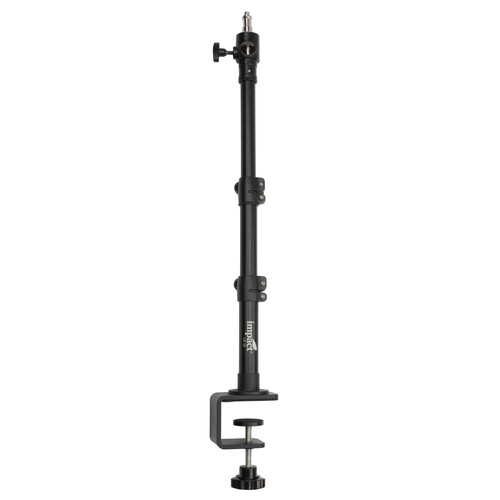
If you just want to mount it to your desk and forget it, then ignore all of that above and just get this and use the power cord that comes with the light:

Yeah, but how does it work with video?

I hate video editing, so here’s a video I did using just my iPhone and the Raya light outdoors on my deck. Please forgive the poor reduction in video quality and horrible color after YouTube’s terrible video compression when viewing on a PC, but it’s less terrible on iPhones:

Night time iPhone Video

Day time iPhone Video

If you are a content-creator, you might be interested in the full Livestreaming Kit.

Why should you care what I think?

Many of you who have followed this blog may not realize that my primary job has always been in high tech at a company you’ve definitely heard of. With 6 years of experience in building cutting edge video conferencing solutions for the biggest companies on the planet, I know a thing or two about the challenges many users face when collaborating with others over video.

Typically, my photography life outside of work doesn’t directly cross paths with my day job, but when B&H contacted me to say they had a cool personal light for photography and video conferencing, I couldn’t pass up the chance to check it out. What I didn’t expect is that it would be a wireless solution that would allow me to have great light wherever I landed with my laptop or even phone to have a meeting!

I am not allowed to endorse items for work, so I can’t mention who I work for or what I work on (but it’s easy to figure out). As such, this is my personal opinion formed outside of work using personal products for personal meetings with friends and relatives, but after this is done I do plan to show my friends at work and use it to enhance my personal meeting experiences.

Where to Buy?

CLICK HERE to learn more or buy today.

Other articles you may enjoy

Enjoy more reviews on the Reviews tab.

Disclosure

If you make a purchase using links found in this article, I may make a commission. It doesn’t cost you a penny more, but it does help to support future articles like this. I was not paid to do this review, but I was allowed to keep my review unit.