Showing posts with label PA-Series. Show all posts

Wednesday, September 26, 2018

REVIEW: NEC PA271Q-BK 27" 16:9 Color-Critical IPS Monitor

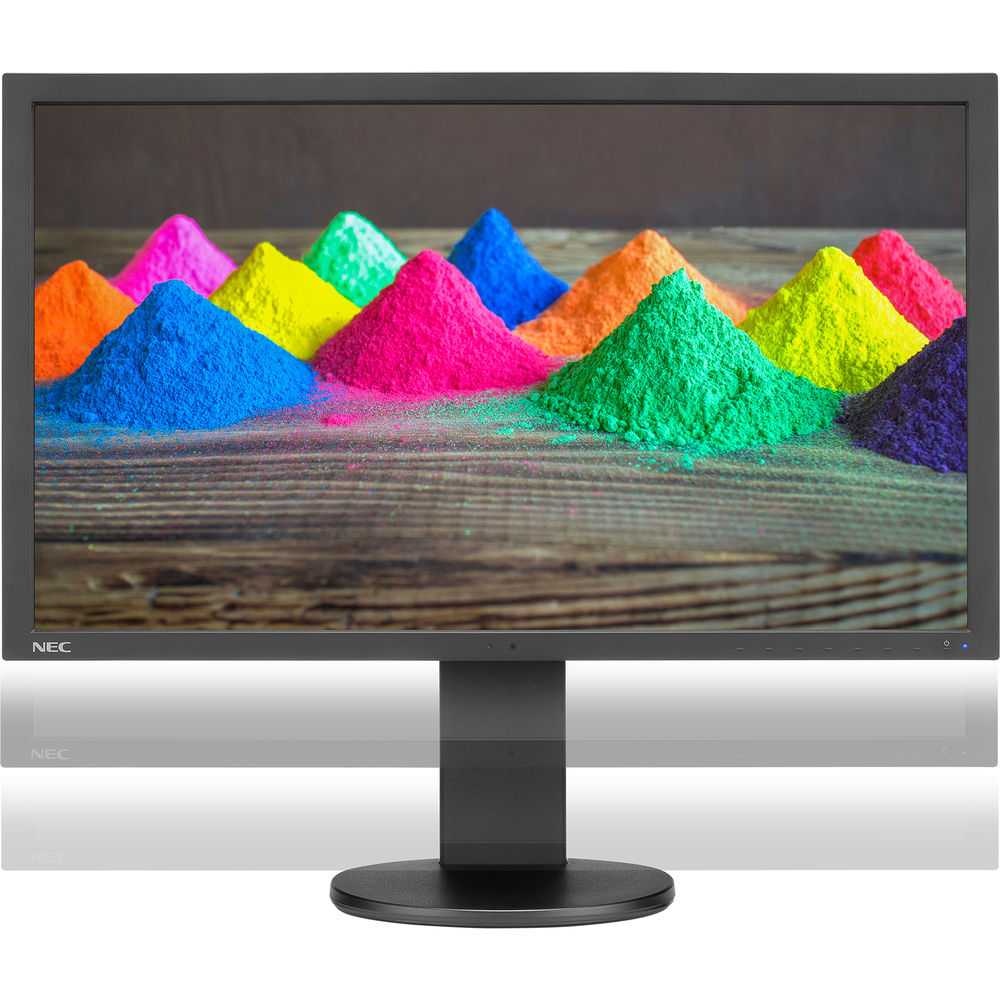
NEC PA271Q-BK 27" 16:9 Color-Critical IPS Monitor

Since December 2014, my primary display has been my huge NEC PA322UHD which I've loved for the screen real estate. However, when I read about the latest PA series display with its improved color accuracy, I had to try it out. 

While I'll admit, that I miss the huge 32" 4k display for its size, I have appreciated that this display is much more color accurate which is very important when doing color critical photo editing and soft proofing.

Photoshop looks spectacular on this 16:9 aspect ratio WQHD resolution display that is 2560 pixels wide by 1440 pixels tall (or 109 ppi):

Plenty of space for Photoshop CC 2018

In fact, if you have a compatible video card you can even enjoy over a billion colors by enabling 30 Bit Display

image

What this will do is eliminate banding in grayscale or color images when you use good video cables that can support it! However, be careful with this if you'll be printing because no printer made supports 30 bit printing, so it can cause you to miss some banding issues which could occur during printing.

For everyday use Excel 365 still goes out to a whopping AM61:

Easily show all cells to AM61 in Excel 365

So while it might not be 4k it's still plenty of screen real estate to get a lot more done than traditional 1080p or 1920x1200 displays.

Inputs Galore

This display features lots of I/O ports both on the bottom (shown in silver on the left below) and on the side (shown in black on the right below):

imageimage

In fact, this is what you get:

1 x DisplayPort
1 x Mini DisplayPort
2 x HDMI
1 x USB Type-C
3 x USB (USB 3.1) Input
3 x USB (USB 3.1) Output

To learn more about the specs of this display be sure to visit the PA271Q product page.

NaViSet Administrator 2™

Want to do an Ethernet management of your NEC displays? No problem, check out the control you have using the NaViSet Administrator software:

  • Remotely adjust almost any parameter or setting found within the On Screen Display menu
  • Gather valuable information pertaining to a Windows computer such as model name, OS version, memory and CPU (Windows version only)
  • Any information that is gathered about connected devices is stored in a local database and can be exported for later review
  • Automatically issue email alerts if a diagnostic error is reported by a device or a setting has been changed
  • Schedule periodic polling for singular or multiple devices at specific times or on demand
  • Sort connected devices into groups to help organize collections of display and computers
  • Assign an electronic Asset Tag to a device to provide a secure method of tracking an product over a network

Click here to see a video to learn more about what you can do.

Easily Switch Between 2 Computers with 1 Mouse & Keyboard

This display acts as a KVM switch so you if you are like me and you have a Macbook Pro and a Windows PC that you want to use with this display and a single mouse and keyboard, then it's no problem. Just press the input button to go back and forth between the two as shown here:

Calibration Settings

image

I calibrate to the settings shown above and set my preferences to use 52 calibration and profile steps. Here's the information summary for this display after calibration:

image

An impressive 0.25 Delta E beats even the best Eizo's that I've tested. What this means in simple terms is that the color accuracy on this display is phenomenal.

Learn more about this display in this short 40 second video:

Conclusion

This is the most color accurate, fastest to color critical temperature, display I've used in years. For Eizo fans looking for a cheaper alternative where you sacrifice nothing, this is the display for you!

Now I want a 32" UHD version of this display, because I love this one so much that it would be hard to go back to my 4K display again!

Simply put, if you care about color accuracy and a display that is going to hold your calibration settings plus come up to temperature quickly, then this is the display for you!

Where to Buy?

CLICK HERE to learn more or buy today on B&H or click here to find it on Amazon.

Other articles you may enjoy

If you enjoyed this article, you may also enjoy these:

Enjoy these and more on the Reviews tab as well as Ron's Recommendations.

Disclosure

If you make a purchase using links found in this article, I may make a commission. It doesn’t cost you a penny more, but it does help to support future articles like this.

Sunday, July 24, 2016

REVIEW: NEC MultiSync PA322UHD-2 32” 3480 x 2160 Pro 4k Photo/Video Editing Monitor (UPDATED: July 2016)

NEC PA322UHD-BK-SV 32" Widescreen LED Backlit Color Accurate IPS Monitor with SpectraViewII
NEC PA322UHD-BK-SV 32" Widescreen LED Backlit
Color Accurate IPS Monitor (Shown with SpectraView II)

When I was a kid there were two ground breaking HBO specials by the comedian Eddie Murphy called Delirious and it’s sequel RAW. These were a uncensored stand up comedy programs like nothing anyone had ever seen on TV before (at that point). As a minor watching them when my parents were sleeping I found it to be rib cracking funny to watch and 30 years later I still quote numerous bits from these movies. Why am I telling you all of this? Well because my first thought when I first started my PA322UHD review unit was a direct quote from these movies – “goonie goo goo”. My jaw literally dropped when I saw this glorious 32” beast come to life, and if you knew my full history with 4K displays dating back to 2010 you’d realize that is a very hard thing to do!

Right out of the box I was able to calibrate this display with my NEC SpectraSensor and SpectraView II 1.1.18 on my Windows 7 system to a staggering 0.26 Delta E. What this means in non-Geek terms is that this display was able to be calibrated – on it’s first try out of the box – to a level that is almost an identical match to the reference target white point. This is one of the lowest Delta E’s I’ve seen on a display right out of the box, so this puts this display up there with the best Eizo display’s I’ve used.

image
Delta E: 0.26!!!

So let’s see what NEC has to say about the features of this display:

The ultimate in reliable, accurate color. The 32” MultiSync PA322UHD is the benchmark desktop display for color accurate work, from photography to pre-press to videography. Featuring a UHD resolution (3840 x 2160) IGZO technology IPS-type panel with wide gamut white LED backlight, this display provides 99.2% coverage of the Adobe RGB color space while consuming less power than comparable displays. Packed with features and backed by a 4 year warranty with Advanced Exchange, the MultiSync PA322UHD will reliably deliver high quality, accurate images simply and beautifully.

    • Superior screen performance (1000:1 contrast ratio, 3840x2160 UHD native resolution, 350cd/m2 brightness)
    • 14-bit 3D internal programmable lookup tables (LUTs) for calibration
    • Picture in Picture and Picture by Picturemodes increase productivity by displaying two or four sources simultaneously
    • MultiProfiler™ software provides complete control over the five picture modes, including the loading of any ICC profile directly into the monitor for optimal color space matching
    • DisplaySync ProTM controls two computers with only one keyboard and mouse
    • Wide connectivity includes two DisplayPort with 10-bit support, four 10-bit HDMI, two DVI-D inputs as well as a USB hub (new -2 model includes HDMI 2.0 support)
    • NaViSet Administrator 2: Free software solution that greatly eases administration and management of larger display device installations
    • Available with SpectraViewII Color Calibration Kit (PA322UHD-BK-SV)

Now let’s look closely at that 99.2% coverage of the Adobe RGB color space claim with the Color Gamut overlay that shows the Display’s color gamut on the outside and the faint triangle on the inside as Adobe RGB:

image

That doesn’t look like 99.2% to me – it looks to be > 100%. However, there might be some tiny bit of red missing that is hard to tell from this graph, but what I can tell you is that if you are doing color critical work – this is THE display to have! This is as good as I’ve seen boys and girls!

If you read my review of the NEC EA244UHD 4k Display, then you can safely assume that nearly every negative comment I made about that display has been properly addressed by this display. Specifically, this is a BRILLIANT display for photo and video editing that has proper physical buttons (instead of the EA series annoying non-tactile touch controls) and it’s physically large enough that Photoshop is actually readable! If you haven’t read that review, I encourage you to do so now as I won’t be repeating a lot of points about 4k / UHD and video cards.

To learn more about NEC 4k UHD, I’d encourage you to check out this web site that they have created.

Warning: This beauty is a beast!

This is definitely the dream display for photographers and videographers, but beware – it is HUGE!  Weighing in at a whopping 45+ lbs (20.5 Kg) and 29.3 inches wide – you need a LOT of space on your desk (or a seriously heavy duty monitor arm). It really is big enough where I’d replace a traditional 2 x 24” display setup with just this one to avoid having to cross displays. As a result, don’t plan on putting this on some flimsy desk – it will destroy it!

White Point Matching/Copy

image

One interesting feature of this display for those who are doing color critical work is that it features the ability to copy the White Point from one display to another. This is important because it helps you to have an exact match between two displays to reduce the variation between displays.

To learn more, see Page 33 in the English manual.

UPDATE: New PA322UHD-2 Model

Kai Birthday-25
PA322UHD-2 (left) vs PA322UHD (right)

In May 2016, NEC replaced the PA322UHD with the PA322UHD-2 model which looks identical at first glance, but on the side you see the key difference (shown on the left above). The new model now features HDMI 2.0 support including a new HDMI 2.0 port on the side. This is important because the best resolution and refresh rate on the previous model could only be achieved via DisplayPort, but its now possible with HDMI as well.

If you have the older model, don't fret unless you need HDMI 2.0 support because the performance of this display is otherwise identical.

Conclusion

When I imaged what 4k UHD would be like on a display, this is what I was expecting. With incredibly accurate color, excellent edge to edge consistency (which is shocking on such a huge display), and a physical size that helps make 3480 x 2160 readable on poor behaving legacy apps (like Photoshop on Windows 7) – this is without question the best 4k UHD display I’ve seen to date. I am simply blown away and will be crying like a baby when I have to send this one back to NEC!!!!

My only gripes about this display are the massive weight and cost. At more than 2x the cost of the EA244UHD (as of this writing), is it really that much better? In my opinion – ABSOLUTELY. However, that’s more money than I can afford for a display, so I’d have a hard time justifying the cost of a display like this at this price. Hopefully as time passes we’ll see it drop to the sub $2500 range where it at least will start approaching the cost of a good DSLR.

NOTE: For more information about UHD video cards, 4k Netflix, Photoshop in 4K & more, then I highly recommend you read this past review of the PA322UHD’s cheaper sibling.

Long Term Report - July 2016

I've had my PA322UHD for over a year now, and I can easily say this has been the most enjoyable display that I've used in my entire lifetime.

I have a lot of experience with display technology and devices that can output 4k and beyond, but many still lack the edge to edge color quality and color consistency over time that this display offers.

Using this display is a bit like watching a Harry Potter movie because it's like looking at photo that is alive on your display. The screen resolution is very close to print resolution, so if you want a display that looks as good as a 15x27"+ size print - THIS IS THE DISPLAY YOU WANT!

I've also appreciated the matte finish of the display which minimizes reflections, and the color accuracy and quality appears - to my eyes - to be superior to the Apple 5k displays (which have an extra 1k due to the width / aspect ratio).

Where to order

Click here to learn more or order on B&H’s web site. My friends at Amazon have it available here. I STRONGLY encourage you to use the NEC SpectraSensor (or equivalent X-Rite) and ONLY the SpectraView II software with it to get an accurate calibration. As a result, if you don’t own a sensor or the SpectraView II software, then I’d strongly suggest that you consider the bundled version with the sensor and software. You can also buy the SpectraView II software here if you already own a 4k wide gamut compatible sensor from X-Rite or DataColor. Please note that this software is only designed to work with NEC displays.

WARNING: If you want the new -2 model, be sure to check for "MFR # PA322UHD-BK-2" when ordering. If you purchase via B&H, you can place your order and call or email to confirm that you will get the "MFR # PA322UHD-BK-2" model. This will only be a short time issue though after inventory is depleted as  only the new model is shipping now.

Other articles you may enjoy

If you enjoyed this article, you may also enjoy these:

Disclosure

If you make a purchase using links found in this article, I may make a commission. It doesn’t cost you a penny more, but it does help to support future articles like this. NEC provided me with a loaner display for testing and reviewing, but I don’t own it. My love of NEC PA series displays has also led to be being featured on their website.

Tuesday, September 24, 2013

NEC Adds Quick Print Emulation to MultiProfiler 1.2+

NEC MultiProfiler Quick Print Emulation Feature

NEC has updated its MultiProfiler software (available at no charge for both Mac and PC for P & PA series displays). The latest version makes the previously obscure task of setting a paper profile to one of your Picture Modes to a ICC profile (for soft proofing) and makes it much easier now thanks to the Quick Print Emulation Wizard.

The following is an example run through of how it works on both Mac and Windows systems.

NEC Quick Print Emulation Wizard

It starts off with an optional page that tells you about how to get the best results.

Select a printer profile

You are then asked for the output profile you want to emulate. In this case, I’m using a paper profile for my Canon PRO-1 printer. The profiles loaded are whatever you have installed on your system, so yes your printer is supported. You can also select profiles from alternate locations.

Print Rendering Intent

You can then choose the rendering intent you plan to use when you print your image, and I always check the simulate checkbox.

Set new Picture Mode Name

In this step you are asked what existing preset you wish to replace with this new setting, and a name is suggested based on your profile name. I accepted the default here, but normally I’d suggest a better name.

New Picture Mode Added

In the final step, notice how the previously Untitled Picture Mode now becomes the name you set on the previous page (Canon PRO 1 GL) with settings that simulate the profile you selected during the wizard.

This is cool because it helps you to better match what you see on the screen with what should come out of your printer (assuming you use the same print settings, and your printer is operating properly). It should be noted that if you use this feature you should NOT use any additional soft proofing in Lightroom, Photoshop, etc… as you’ll end up with double soft proofing which leads to inaccurate results.

It should be noted that this feature works best on wide color gamut NEC monitor models like the PA series. Less expensive models (P series, and others) effectively render a near sRGB color space so this feature will not work with those models.

Once you have this picture mode set up you can use it at any time without re-running the wizard, and you can replace it by running the wizard again.

Conclusion

While Photoshop’s soft proofing can be very good, it’s only as good as your monitor calibration. If you don’t have a properly calibrated display and have been struggling with soft proofing, this might be a great solution to help you better understand what your print will look to others before you hit print. It’s certainly handy when editing an image for a specific output type.

Once you have things set in place the Shortcuts feature of MultiProfiler can be used so you can quickly switch between picture modes without using this software directly.

North American users can get the update from http://www.necdisplay.com/support-and-services/multi-profiler/downloads.

Other articles you may enjoy

If you enjoyed this article, you may also enjoy these:

Disclosure

If you make a purchase using links found in this article, I may make a commission. It doesn’t cost you a penny more, but it does help to support future articles like this.

Wednesday, September 11, 2013

REVIEW: NEC PA242W Color Critical Wide Gamut Backlit Desktop Monitor (vs PA241W)

NEC PA242W-BK Color Critical Wide Gamut Desktop Monitor

If you’ve been following my blog for any length of time, you’ve probably read my NEC PA Series reviews. I love my NEC displays because they are a fraction of the cost of an equivalent Eizo with quality differences that can only be measured with instruments, and not the naked eye. The price / value ratio of these displays have made them some of the hottest selling displays on the market for photographers, so I was pretty excited when my NEC contact informed me about the new backlit models they are introducing.

The NEC PA242W (and upcoming PA302W in November) take everything you love about the current models, and add HDMI input and a backlight to them which translates into a 41% power consumption savings. While I’m told the green and blue primaries in the new backlit displays are supposed to be better, I can’t easily notice a difference.What I do notice is that these are effectively as great as the monitors that I’ve enjoyed over the last few years, but my electricity meter spins a little slower now. ;-) Given how many electronic devices I have in my house, this is a very good thing!

The Upgrade Question

Just as flexible as its predecessor

I think the burning question on the minds of any PA Series owner is going to be – should I upgrade?

My short answer is probably not. While it’s great to use less energy for both environmental and cost savings reasons, this model isn’t going to look measurably different against your current display. I do think if you are buying a new PA Series, this is the model to get because of the energy savings which theoretically should also translate into a longer service life. The energy cost savings will probably pay for itself after a few years, and if this gives you a longer life for your display then it just makes sense. In addition, HDMI is becoming even more popular so that might be a great reason to own it for some as well.

I wouldn’t dump my old PA series for this model just to have the latest model as I haven’t fully realized my investment cost of my display. I suspect this will be the case for many of my readers as well. However, if I were to add another display, then this would certainly be the one I’d get.

What about the Calibration Hardware & Software?

NEC PA242W-BK-SV (includes SpectraView II and SpectraSensor Pro)

As I’ve mentioned in my previous review, you definitely need the SpectraView II software and a compatible calibration device. If you buy the bundle you get the best deal, but if you already have a compatible calibration device and/or the software then it makes sense to buy the monitor by itself. The SpectraSensor Pro does not appear to have improved since I reviewed it last, so if you own that device and/or the SpectraView II software then all you need is version 1.1.15.00 or later and you are in business.

It should be noted that SpectraView II supports multiple NEC displays, so you can mix and match with wide gamut PA series models without any problem. No new hardware or software purchase is required for this scenario.

Click here to learn more about SpectraView II and its compatible devices.

Conclusion

I had already moved to a backlit TV in my family room, so I already had some expectations about what to expect with this new PA series display. While I was a little disappointed that the picture quality didn’t really improve as it had done for my TV, I was very pleased that I was still able to get excellent calibration and soft proofing performance using SpectraView II and a SpectraSensor Pro. This is a great display to add to your system when you are in the market for a new display, but I wouldn’t retire a healthy current generation PA series display for this one.

Please consider my previous review when shopping for NEC displays.

Where to order

Click here to order the PA242W or click here to order the PA302W from B&H. My friends at Adorama have it available here. You can also click here to order from Amazon (but look carefully at the model numbers).

Other articles you may enjoy

If you enjoyed this article, you may also enjoy these:

Disclosure

If you make a purchase using links found in this article, I may make a commission. It doesn’t cost you a penny more, but it does help to support future articles like this.

My love for NEC displays landed me on their testimonials page, but I do not get financially compensated from NEC.

Tuesday, September 10, 2013

REVIEW: NEC PA-241W & PA-271W LCD Monitors


My PA241W-BK is configured in Landscape mode at 1920x1200 with a hood

Here’s an index of my NEC reviews not covered by this article:

In September 2010 one of my most respected photography mentors contacted me and told me that I needed to review the NEC PA-Series displays because he felt they were almost as good as the Eizo ColorEdge CG221 ($5,034 @ B&H on 12/24/2010) for a fraction of the price (I paid $899.95 for My PA241W-BK on 8/3/2010). I liked my Dell 2407WFPb display and thought that there was no need to replace it. It had served me well for several years and I was actually looking forward to the day when I could buy a monitor for a couple hundred bucks!

Every time I talked to my mentor he would rave about this PA-Series monitor which he had added to his own collection, and during my printing series I was really struggling to get soft proofing results that matched what I was seeing in my GTI light box.

I did a little shopping around and some research and found out that this NEC display might be a wise investment, so I finally put down my own cash for the monitor and hood. I had no contacts with NEC (at that point) and purchased it just as you would. Here was my email to my photography club after I got this display:

So I ended up buying this NEC PA series monitor and calibrated it last night - OMG this thing rocks! I feel like I did when I went from my old TV to a nice LED 1080p HDTV. I thought my old Dell was good, but this thing blows it away. I felt like I could reach in and touch stuff in the photo.

I did the monitor hood too which has helped a lot and was built a lot better than I expected. Its felt lined on the inside and has a trap door for the calibration device, so it’s a lot more complex than one would think. I see why it’s $99 now, and given the cost of hoods I think it’s an okay value for what you get - much better than I thought when I threw it in the cart.

No regrets on this one - it’s a great monitor. I had zero noise with it too - can’t hear anything from it. I was glad to see it had USB ports and multiple input ports too. My pro source below told me that NEC engineers said the best results are only possible with the Display Port, and I have to use DVI so that’s a bummer. However, I can’t see how it could be much better - it’s damn good with DVI.

Since I have a MacBook Pro with a Display Port this sent me on a quest to try this display out with a Display Port to see if I could see the “better” results. Eventually this quest ended up with me talking to NEC directly where I got many of my questions (and probably some of yours too) answered. Here’s what I learned:

  • The PA241W came out in February and the PA271W has been released since then. The PA271W has a slight edge in pixel density. Both are great displays, and I haven’t been able to observe any practical differences in everyday use between the 24 & 27 (more on that later).
  • One REALLY cool feature is that you can do side-by-side of the same input in two windows on one of these displays and display the windows using different picture modes.

    Where this is really cool is that I could have one set for the full color gamut and the other set for a sRGB (for web proofing) or a printer paper profile (for soft proofing). This works best when the monitor is in portrait orientation as over and under looks a lot better than side by side. I find this extremely useful because wide color gamut displays show more of the red portion of the color gamut so it is easy to overcompensate for sunburned looking skin only to have the sRGB image for the web look like crap. Alternatively there are also shortcut buttons on the display to just change picture modes for the whole display so you can edit for the web’s sRGB colorspace and return to the wide colorspace when imaging for print.
  • This display has built-in KVM functionality so you plug your mouse and keyboard in and when you switch inputs they will go with you to the other computer – this even works between the Mac & PC. Furthermore, you can stick a USB Flash drive in the display and that device will be available for the active computer so you can use it for situations where file transfer between computers isn’t working well (especially on mac/pc or pc/linux scenarios)
  • The SpectraView II calibration device that NEC ships (offered below) is the X-Rite i1Display 2 that has been modified to support the wide color gamut display. Other calibration devices will work too and are shown here – page down. The word on the street is that the i1Pro or the ColorMunki are the preferred calibration devices for the best results.
  • Calibration typically works on the display card by creating a profile that acts as a mapping table to render the accurate results on the display. Their SpectraView II software is unique in that it actually programs the look up tables in the display itself for what NEC claims offers OS independent calibration (especially useful if you are switching between computers with the same display – you only need to calibrate once)
  • The MultiProfiler software on their web site is worth downloading and you can use it to control the Ambient Light Compensation (recommended off), Response Improve (on – esp, if motion video is important), Metamerism correction (optional and personal preference).

In the end I learned that there is a PC-only configuration that can be done to get the improved 10-bit display output which does require a display port video cable using a video card that has yet to be released and a PC driver configuration that is not for the faint of heart. In short, it’s vaporware now so don’t worry about connecting your NEC display via the DVI port at this time.

Should I buy the NEC Calibration Device or Software?

My recommendation is that if you don't have an i1Pro or ColorMunki spectrophotometer, and you don't intend to generate paper profiles then get the NEC bundle with the calibrator as you'll save yourself a lot of headaches. It is included in bundles when ordering (see below) or you can purchase it after the fact here, but even with it you’ll need to purchase the NEC software separately.

If you have one of the X-Rite products then just get the display and buy the SpectraView software from NEC.

I also found this article to be useful in discussions about calibrating this display.

One very cool feature of these displays for calibration is that you can use the MultiProfiler tool to load your paper profiles as input to get display based softproofing which can effectively bring softproofing to Lightroom – which doesn’t exist today. NEC confirms that Photoshop’s soft proofing of paper profiles is superior, but this method works wonders for those looking to bring soft proofing to well color managed applications that don’t currently support it.

How does the PA241W compare to the PA271W?


My PA271W-BK is configured in Portrait mode at 1440x2560

After I got involved with NEC my contact suggested I try out the 27” display to which I replied – I’d love to if you send it, but I can’t afford it. NEC agreed to let me borrow one for a short time which is kinda like your local crack dealer giving free samples for newbies – some things you shouldn’t sample unless you are prepared to make it a part of your life!


My PA241W-BK with my old Dell 2407WFPb on the right
(NOTE: Colors and lighting way off in photo so make no inferences from this shot)

When I got the 27” I ditched my Dell 2407WFPb and put the PA271W-BK in portrait mode as shown above and configured in my control panel below as follows:

image
My Windows 7 system display layout

In practical use I’ve not seen any negative aspects of the 27” over the 24”, and in fact I use the 27” to write my blog articles as I’m doing now. I absolutely love this 27” display and it is wonderful when viewing Lightroom 3.3’s 2nd display window in Grid mode as the high resolution allows me to see the details I need yet still view a lot of images from the library.

PA231W-BK – The new addition to the family for much less

NEC has added the PA231W to the line up for a much more friendly price at a slight cost in features. This is effectively the budget minded solution at the expense of not being a wide-gamut display (useful for photo editing – critical for soft proofing/printing).

I have not tested this display, so I only mention it for completeness. It should be suitable for sRGB photo editing and proofing for display, not print, output. it is for this reason why I’m perplexed as to why this monitor is part of the PA series as it seems more suited to a different series of displays.

I am of the opinion that it’s not worth replacing your display unless you are moving up to wide gamut so my advice is for the other PA series displays featured in this article.

A word about switching to wide color gamut displays

When you go from a normal display to a wide color gamut display it takes some getting used to because the colors that you can now see (especially in the reds) can throw you when you edit your photos. This is why when I do my final photo edits before sending them to display output (i.e., web, facebook, flickr, etc…) I like to switch my NEC display to sRGB mode to see how it will look. I still edit with the full color gamut turned on which can burn me sometimes for output to web browsers, but the output on properly color managed devices and print is brilliant. I therefore edit for print and then adjust or remove some Photoshop layers to get my display output – in a separate file (or virtual copy in Lightroom). This is a challenge for moving to ANY wide color gamut display, not just these NEC’s.

I also advise that if you are a business and you are doing color critical work that you should only upgrade your displays until you can afford to move all color management displays up to wide color gamut displays to avoid headaches of switching between color spaces and having two people image the same file differently because of what they see on their display.

UPDATE: Comparison to Eizo FlexScan SX2762W

The 2560 x 1440 resolution makes of the FlexScan SX2762W makes it competitive with the PA271W, so its clear that Eizo is targeting this display to NEC PA Series buyers. The SX2762W seems to have a slight benefit in edge to edge performance, and it has the typical Eizo super fast startup & warm up times (which is critical for accurate calibration). I much prefer the PA Series SpectaView calibration software and hardware and the PA series value is unmatched, so if I were buying a 27” display I’d still go for the NEC. With that said, Eizo loyalists will probably favor the SX2762W for its impressive feature list (click here) and the superior edge to edge performance that make Eizo so popular. However, if I were buying a 27”, I’d go for the NEC.

Conclusion

I love these displays! They’ve been rock solid and a joy to use. I did have one glitch in that my display started to blink, but it turns out that it is known issue if you have your PIP (picture-in-picture) display input set to display port (not the default). If your PIP input is set to anything else then you won’t see this problem.

I also missed my speakers attached to my Dell display, but you can buy the NEC Soundbar to work around that problem.

Now that I have used both I’d want to keep the 27 over the 24 as the extra screen real estate is VERY nice to have, but it is also a no comprise high quality display. The 24 is better on paper, but the 27 is just as good to me and my eyes.

I strongly recommend the hood (27” requires a different model) for those displays in landscape mode, but I find the hood useless and annoying in portrait mode. I had zero issues with glare, so the hood recommendation is based on pure color management advice of avoiding light contamination on your photo editing display.

It’s also a must that you get the SpectraView II Software (sold here) if you wish to properly calibrate this display with non NEC calibration devices. I do suggest buying the NEC calibration device if you already don’t own a supported calibration device). UPDATE: Check out this article for NEW calibration devices by X-Rite which support wide gamut displays like these.

These are a great couple of displays that I can’t recommend highly enough. I will warn you though – once you try them you’ll be hooked, so if you don’t have the budget then run away now! :)

Online Ordering Information

PA241W-BK 24" Widescreen LCD Monitor with Wide Color Gamut

  • VGA + DVI-D + DisplayPort
  • 1920 x 1200
  • 1000:1 Contrast Ratio
  • 360cd/m² Brightness
  • 178° Viewing Angle
  • 8ms ray-to-Gray Response Time
  • 98.1% Coverage of AdobeRGB Color Space
  • Height Adjustment and 90° Pivot

PA241W-BK-SV 24.1" Widescreen LCD Monitor with SpectraView II Color Calibration Solution

  • Same as above, plus SpectraViewI I Colorimeter and Software

PA271W-BK 27" Widescreen LCD Computer Display

  • · DVI-D + DisplayPort
  • · 2560 x 1440
  • · 1000:1 Contrast Ratio
  • · 300cd/m² Brightness
  • · 178°/178° Viewing Angle
  • · 7ms Response Time
  • 97.1% Adobe RGB
  • 3-Port USB 2.0 Hub

PA271W-BK-SV 27" Widescreen LCD Monitor with SpectraView II Color Calibration Solution

  • Same as above, plus SpectraView II Colorimeter and Software

NEC PA231W Series

  • VGA + DVI-D + DVI-D + DisplayPort
  • 1920 x 1080
  • 1000:1 Contrast Ratio
  • 270cd/m² Brightness
  • 178°/178° Viewing Angle
  • 8ms Response Time
  • 72% NTSC
  • 3-Port USB 2.0 Hub

Other articles you may enjoy

If you enjoyed this article, you may also enjoy these:

Disclosure

NEC loaned me a PA271W display, a Spectraview II calibration device and the software, but everything else I owned via my own private party purchase. I may get a link if you purchase using the links in this article, so I would appreciate your support for more articles like this if you come back here when making your purchases.

Wednesday, February 13, 2013

REVIEW: NEC Soundbar Pro Speakers

Many people like me have come to love the NEC PA Series displays for their outstanding image quality, color and value (compared to the nearest competitor – Eizo). However, if you are also like me you probably had to a monitor before that included an integrated speaker so one of the downsides of going with a new high end display is the lack of integrated audio. Of course, you can put speakers on your desk, but who wants the clutter of that?

NEC has been listening to this concern and has responded with the Soundbar Pro (available at B&H and Amazon). This is a no-frills, but effective business-class speaker that mounts on the bottom of your display with no hassle. Sure, it’s not as sexy as Edifier Spinnakers nor does it possess the audiophile quality sound of Audioengine A5+ Premium speakers, but it gets the job done in a compact size that integrates nicely with your NEC MultiSync 90, P-Series, or PA-Series display.

  • Reasonable price for a sound bar, but better and cheaper freestanding might make it a hard sell for some (e.g., Logitech X-140 2.0 Speakers are < $30).
  • It’s super easy to install and integrates very well.
  • A USB extension cable is a nice included item because this allows you to plug the sound bar into the computer and leave your SpectraSensor Pro plugged into your display. It kinda makes you wonder why printer makers don’t include USB cables huh?
  • There’s no external visible indication it’s on or getting power on my unit – unlike the blue light shown in the photo above. I consider it a negative, but others might consider it a plus. To be fair though, the display responds to volume adjustments and push to mute so you can easily see it working.
  • The volume control feels flimsy and I prefer an old rotating knob, but its design (much like many cars these days) allows for push to mute and digital synchronization with volume changes on your desktop (which a traditional knob typically can’t do).
  • The sound quality is mediocre compared to my old Dell Soundbar that had a rotating knob, light, and nice integration with the display.

Conclusion

While this speaker won’t win any audiophiles hearts, it gets the job done at price that will be worth it to some so they can keep their desktops free of speaker clutter.

Where to order

Click here to order the SoundBar Pro at the B&H web site. My friends at Amazon have it available here too. As of the time of this article, this product was not sold by Adorama.

Other articles you may enjoy

If you enjoyed this article, you may also enjoy these:

Disclosure

If you make a purchase using links found in this article, I may make a commission. It doesn’t cost you a penny more, but it does help to support future articles like this.

I was also provided with a SoundBar Pro to test with my NEC PA Series display (that I purchased myself at full retail price from B&H).

Thursday, December 13, 2012

NEC MultiProfiler Update is a must have for NEC PA Series Owners–and it’s FREE (Update with Video)

Don’t you hate using menus on your display? Don’t you wish they had more buttons and weren’t so annoying to use? Well NEC hears your pain and has always had a product called MultiProfiler that puts all of the powerful monitor controls in a nice graphical user interface for your PC or Mac.

Now most people aren’t aware of MultiProfiler because people typically pull their display out of the box, plug it in and move on. Heck, it’s a big deal to get most people to even calibrate their display! However, this app is worth look – but more now than ever before, so even if you’ve used it and dismissed it – check out it out again. Here’s why – they’ve added new keyboard shortcuts for many features that also supports duplicate values so you can press the same keyboard shortcut key to cycle through the choices. For example, below I have it set up where I can do a Ctrl+Alt+Shift+1 to toggle PIP on and off.

image
MultiProfiler – Now with keyboard shortcuts – woohoo!

Why would I use picture in picture – especially if I only have video source?

That’s exactly what I thought when NEC first told me about this feature, but then they told me something really important – PIP supports whatever input you want – including the same input you use to connect to your computer. That confused me any more because why would I want to see the same thing I see on my main display in a PIP window? How stupid right?

image
Choose any video input and picture mode you want for PIP

Well, PIP supports different picture modes, so you can have your main display set to full native resolution of the display and the PIP window to use the sRGB color space so you can proof how your images will look on the millions of crappy sRGB only displays out in the real world. This is important too because your perfect image with lots of red information on your nice wide gamut display is going to look way oversaturated on a sRGB display – especially in Internet Explorer.

But Ron, how am I going to see anything in that tiny PIP window?

Once again, MultiProfiler to the rescue – you can set the PIP size to be large which takes up about a quarter of the display, you can position it, and you can even choose different modes like side by side with proper aspect ratio and side by side stretched to fit.

Who cares about sRGB what else can I do?

image
Notice my Epson Exhibition Fiber Picture Mode? How cool is that?!!! 

If you read my PA Series review then you know that you can even create Picture Modes that use your paper profiles as input to soft proof your prints in products that don’t support soft proofing (like older versions of Lightroom before 4.x). This is pretty cool for those doing printing who want an idea of what they’ll get before they hit print.

Seriously Ron, who gives a crap about all that? What else can I use this for?

image
Manage your KVM Switch settings from MultiProfiler

Did you know that NEC PA Series displays have a built-in KVM Switch? In case you don’t know what that means, consider this – say you have one display, keyboard and mouse yet you want it to work with two computers. How do you do that? Well, you connect each computer to the NEC display and the USB cable from the display to each computer. You then put your one keyboard and mouse into the USB ports on the NEC display and then use the KVM feature to switch inputs so that when you are on the input for PC 1 your keyboard and mouse works on that computer, and when you are input for PC 2 your keyboard and mouse work on that computer too.

Now here’s the cool part – remember that keyboard shortcut feature? Now you can even assign keyboard inputs to your KVM so you don’t have to use the annoying input button to get switched to the display of your choice. In addition, because you can assign the same key to only the values you want, you can have it skip inputs when you hit your hot key so that you only toggle between the inputs you really care about. This is seriously cool!

UPDATE: KVM How To Video

I just got this video from NEC and thought it was pretty helpful:

Conclusion

There’s other cool stuff like support for people with color blindness and more. It’s free for all PA Series owners and most P series owners. How can you go wrong with that? Click here to learn more and download it for your Mac or PC. Try it, you might like it!

Leave a comment to let NEC know what you think about this product and if you have an recommendations or suggestions.

Other articles you may enjoy

Disclosure

This article contains links that may result in a commission for me if you make a purchase. Thanks for supporting this blog by using my links.

Saturday, April 14, 2012

NEC Adds Ron Martinsen to the SpectraViewII™ PA Series Testimonials

I’m pleased to announce that NEC has added me to their elite list of featured photographers. Some of the noteworthy photographers invited to this honor include Jeff Schewe, Michael Grecco, Greg Gorman, Lou Manna, and John Paul Caponigro. It’s an honor to have my work displayed alongside theirs at trade shows on NEC PA Series displays!

Thanks for your support and recognition NEC!

Enjoy the following NEC related articles on my blog:

Disclosure

I was invited by NEC and participated at their request. I purchased the NEC display featured in the article (and photo above) at full price from B&H prior to having any business relationship with NEC. I wrote a testimonial for their products because I believe in them and because my PA series display has served me well. I was not compensated in any way for this testimonial. 

Friday, November 11, 2011

REVIEW: NEC SpectraSensor Pro (powered by X-Rite)

NEC SpectraSensor Pro

The NEC SpectraSensor Pro is a specialized version of the i1Display Pro that was built in conjunction with NEC to calibrate their wide gamut displays (like the PA Series 24, 27 and 30” models). You can actually use this, a ColorMunki Photo, ColorMunki Display, i1Display Pro or other wide gamut calibration devices to calibrate your NEC monitors, but this is the new NEC version that was tested to work specifically with NEC monitors.

It is important to note that some monitors like the NEC PA Series have what is called a LUT (look up table) where the calibration information is stored. As a result you MUST use the NEC SpectraView II software to calibrate this display, as that is the only calibration software that can program the LUT in this display. Click here to learn more.

This is a replacement for the older calibration devices by NEC which also supported wide gamut color and could program the LUT, but was less accurate than this newer device. If you old the device or other supported devices, then you only need to make sure that you have the latest version of SpectraView II (recently updated to support Lion).

Use with SpectraView II


When using this sensor with the latest SpectraView II,
Choose XRite iOne Display Pro (I1D3) as your sensor type

If you are using SpectraView II then you should go to the NEC web site an install the latest version. Once you do, you’ll need to choose the new sensor type called “XRite iOne Display Pro (i1D3)”.

Recommendation for new NEC display buyers

If you are buying a new NEC display and don’t have a calibration device, then I recommend you get this or a ColorMunki Photo (a spectrophotometer for print soft proofing). I DO NOT recommend that you get the discontinued bundle that features the older NEC calibration device.

UPDATE: NEC tells me that going forward, all SpectraView bundles will contain the new sensor (even if web sites show the old sensor on their photos). If you should end up with an old sensor at this point, I wouldn’t worry too much. The old ones will work fine and feel more substantial than the new ones, so all you really lose is compactness from what I can tell.

More NEC Related Content

Disclosure

I was given an evaluation copy of this device to test with my NEC PA241W. My display was purchased from B&H at full market prices (i.e., no discount) BEFORE I had established any marketing contact with NEC.